
What Is SKILL.md for Ecommerce?
May 13, 2026
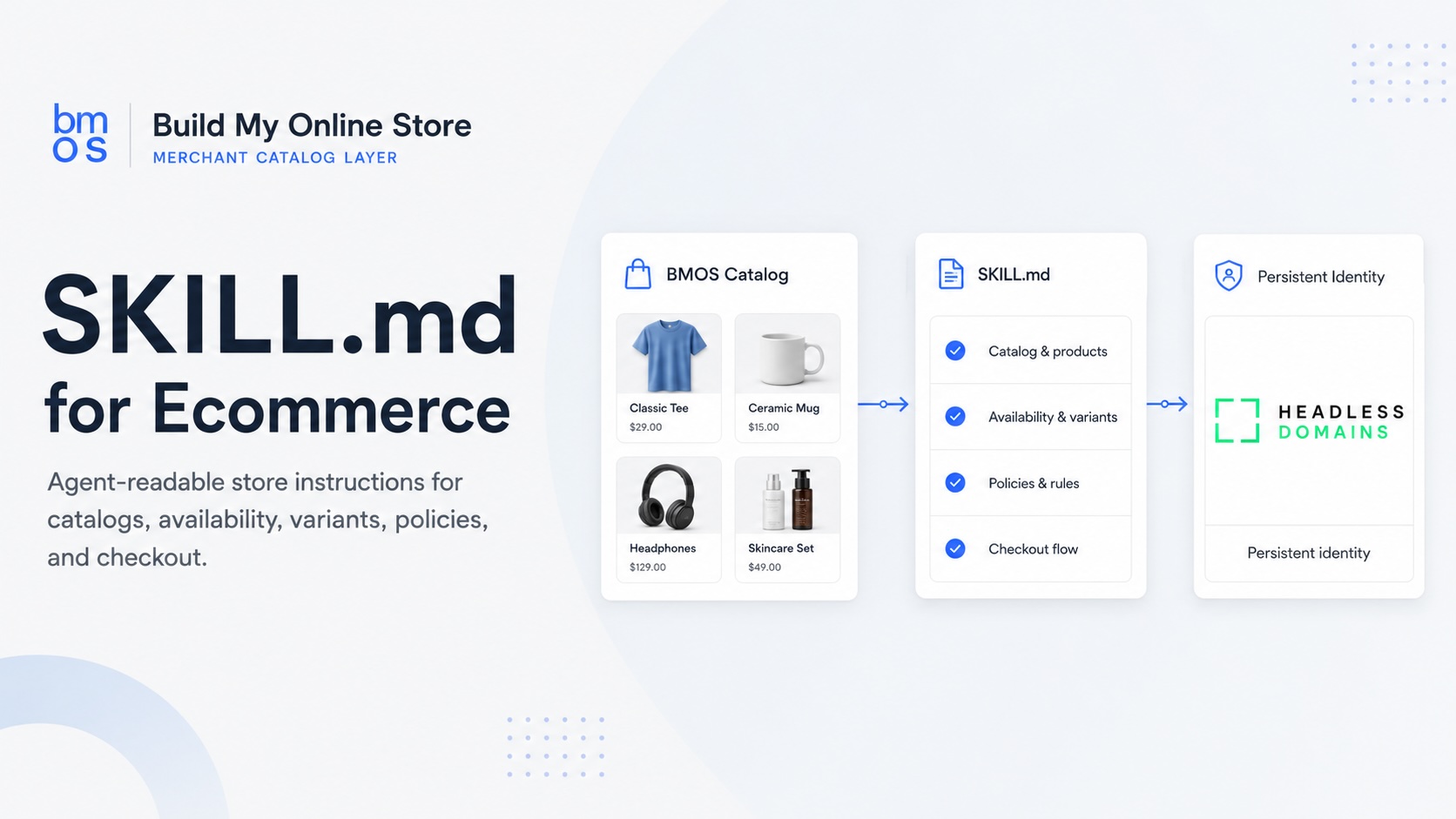
SKILL.md ecommerce gives merchants a practical way to tell AI agents how to discover a store, read its catalog, verify the merchant surface, and prepare a purchase route. For BMOS merchants, the file can explain how an agent should resolve a merchant .agent identity, inspect TXT records, find the commerce_catalog feed, fetch product data, interpret policies, and hand the buyer a safe checkout path.
A SKILL.md file works as agent-readable store instructions. Human shoppers can browse pages, images, navigation, and checkout screens. AI agents need structured guidance that says where the catalog lives, which source has authority, which fields carry product facts, which policies apply, and which actions require buyer approval. BMOS helps publish the catalog layer, while Headless Domains provides the persistent identity layer where SKILL.md, agent.json, and related records can connect.
What SKILL.md means for ecommerce
SKILL.md uses plain Markdown to describe how an agent should interact with a store or commerce service. In ecommerce, the file can act like a compact operating guide for buyer agents, catalog inspectors, agency test tools, and AI developers. It can say which domain to resolve, which records to inspect, which feed to fetch, which fields to trust, and which checkout steps need human confirmation.
For a merchant, the value comes from reducing ambiguity. A product page might hide availability behind JavaScript, split policies across several URLs, and require a shopper to infer which checkout route applies. SKILL.md can point an agent toward a BMOS feed with current product data, policy summaries, variant details, and purchase routing instructions.
Why merchants need instructions for agents
Ecommerce teams already write pages for humans, feeds for ad platforms, schema for search, and rules for marketplaces. AI agents introduce another reader. A buyer agent may receive a request such as, “Find a waterproof backpack under $150 that ships to Texas, compare return windows, and prepare checkout.” The agent needs a reliable path from identity to catalog to policy to checkout.
The BMOS guide to making an ecommerce store readable by AI agents covers the product, price, variant, policy, checkout, identity, and freshness fields agents need. The BMOS article on product feed optimization for AI agents expands the feed side with examples for use case, compatibility, constraints, variants, inventory, policy details, and checkout links.
Where BMOS fits
BMOS helps merchants publish a structured catalog layer for the agentic web. A BMOS catalog can expose titles, descriptions, product IDs, SKUs, variants, prices, currencies, images, availability, shipping rules, return policy summaries, support paths, human checkout URLs, and machine-readable checkout metadata. The public BMOS skill.md gives agents discovery instructions, while the BMOS prompt library gives merchants and developers practical prompts for testing resolution and catalog inspection.
For Shopify, WooCommerce, custom storefronts, agencies, and catalog managers, BMOS can sit beside the existing store. The merchant keeps the brand site for people and uses BMOS to publish a cleaner machine-readable catalog surface for compatible agents.
Where Headless Domains fits
Headless Domains gives merchants and agents a persistent identity surface through the .agent namespace. A merchant can connect commerce records to a name agents can inspect, rather than relying on copied feed URLs inside prompts or scattered documentation. The Headless Domains article Why Your Store Needs a .agent Identity for Ecommerce Before AI Agents Can Trust It explains how BMOS catalogs, commerce_catalog records, SKILL.md, agent.json, and profile inspection work together for merchant verification.
Headless Profile Directory adds a public inspection surface for agentic identities. Merchants, agencies, buyer agents, and AI developers can use it to review machine-readable records and commerce readiness signals connected to a .agent identity.
How agent discovery can work
A practical BMOS and Headless Domains flow can look like this:
- The buyer asks an AI agent for products that meet a set of price, shipping, size, compatibility, or policy constraints.
- The agent resolves the merchant .agent identity through a compatible resolver or the Headless Domains lookup path.
- The agent inspects TXT records for commerce_catalog, agent.json, SKILL.md, and related merchant pointers.
- The agent extracts the commerce_catalog feed_url and fetches the BMOS catalog feed.
- The agent reads products, variants, prices, availability, shipping, returns, support routes, and checkout metadata.
- The agent prepares a response with the matching products, relevant policy context, and a buyer-approved checkout path.
That sequence gives developers a repeatable pattern for AI agent instructions ecommerce teams can test. It also gives merchants a simpler checklist: publish the catalog, connect identity, expose policies, keep checkout routes current, and inspect the result.
SKILL.md, agent.json, product feed, and profile page
These files and records serve different audiences. Treating them as separate pieces helps ecommerce teams maintain cleaner data and clearer agent instructions.
| File or record | Audience | Purpose | Example data |
|---|---|---|---|
| SKILL.md | AI agents, AI developers, agencies, catalog tools | Instructions for discovery, catalog use, policy checks, checkout preparation, and fallback behavior | Resolve example.agent, inspect commerce_catalog, fetch BMOS feed, confirm price and stock before checkout |
| agent.json | Agents, registries, verification tools, technical teams | Structured identity, capabilities, endpoints, support links, permissions, and metadata | merchant role, approved endpoints, support URL, catalog source, version, contact route |
| Product feed | Buyer agents, shopping assistants, catalog systems, commerce APIs | Product and offer data agents can parse and compare | title, SKU, variant ID, price, currency, image URL, availability, shipping regions, return policy, checkout URL |
| commerce_catalog TXT record | Resolvers, agents, identity inspectors | Pointer from the .agent identity to the trusted catalog feed | feed_url, storefront ID, status, updated timestamp, BMOS catalog pointer |
| Profile page | Humans, agencies, buyers, partner teams, agents with browsing tools | Public inspection page for identity, readiness, support, and commerce signals | merchant name, profile links, catalog status, support links, verification clues |
What a BMOS SKILL.md should tell agents to do
A useful BMOS SKILL.md should give agents an explicit workflow. The file can stay readable for humans while still giving machines enough structure to follow the same path every time.
- Resolve identity first: tell the agent which .agent identity represents the merchant or catalog.
- Inspect TXT records: name commerce_catalog, SKILL.md, agent.json, support, and policy records where available.
- Fetch the catalog: pull feed_url from commerce_catalog and fetch the BMOS feed before product claims.
- Validate offer facts: confirm price, currency, availability, variant status, shipping rules, return policy, and checkout route.
- Respect buyer approval: ask for buyer confirmation before purchase preparation whenever the workflow requires human consent.
- Use fallback paths: provide support, human checkout, or merchant contact routes when machine checkout cannot proceed.
Sample SKILL.md structure
The sample below shows a simple pattern. Production files can add signatures, versioning, status fields, policy URLs, safety rules, and endpoint-specific instructions.
# SKILL.md\nname: Example Merchant Catalog Skill\nversion: 1.0\npurpose: Help AI agents discover, inspect, and use the merchant catalog.\nidentity:\n merchant_agent: example.agent\n resolver: https://headlessdomains.com/api/v1/lookup/example.agent\ndiscovery:\n inspect_txt_records:\n - commerce_catalog\n - agent_json\n - skill_md\n fetch_feed_url_from: commerce_catalog.feed_url\ncatalog:\n required_fields:\n - product_id\n - title\n - description\n - price\n - currency\n - availability\n - variants\n - shipping_regions\n - return_policy\n - checkout_url\nagent_instructions:\n - Resolve the .agent identity before using the catalog.\n - Fetch the BMOS commerce_catalog feed.\n - Verify product price, stock, policy, and checkout route before responding.\n - Present human approval steps before purchase when required.\nfallback:\n support_url: https://example.com/support\n human_checkout: https://example.com/checkoutPractical examples
Shopify merchant with variants
A Shopify apparel seller can use BMOS to expose variant-level facts for color, size, price, image, stock, and checkout URL. SKILL.md can tell agents to fetch the BMOS catalog and avoid recommending out-of-stock variants. A buyer asking for a black medium hoodie can receive the available variant rather than a parent product with missing option context.
WooCommerce store with shipping limits
A specialty merchant can publish shipping regions, exclusions, return windows, and support routes in the BMOS catalog. SKILL.md can require agents to confirm the buyer region before preparing checkout. That helps avoid product suggestions outside supported zones.
Agency managing many merchant catalogs
An ecommerce agency can package a repeatable deliverable: clean catalog fields, publish BMOS feed, connect .agent identity, inspect Headless Profile Directory, test prompts, and deliver a SKILL.md review. Each client gets the same baseline for agent-readable store instructions.
AI developer building a buyer agent
An AI developer can code discovery around the identity path. Resolve .agent, inspect TXT records, fetch commerce_catalog.feed_url, read BMOS data, apply buyer constraints, present product options, then route the buyer to human or machine checkout according to the SKILL.md instructions.
Implementation checklist
- Audit catalog fields for titles, descriptions, SKUs, variant IDs, prices, currencies, images, stock status, and update timestamps.
- Normalize policy fields for shipping regions, delivery expectations, returns, warranty, restrictions, support, and disputes.
- Publish the merchant catalog in BMOS and review the output feed.
- Add SKILL.md instructions that explain discovery, identity resolution, catalog fetching, policy checks, checkout rules, and fallback paths.
- Connect the catalog to a .agent identity through Headless Domains and include commerce_catalog, agent.json, and SKILL.md pointers.
- Inspect the identity through Headless Profile Directory and verify the catalog pointer, profile links, and support signals.
- Test with the BMOS prompt library and document any unsupported checkout paths clearly.
Common mistakes to avoid
- Feed URL with no identity: agents receive product data with weak clues about merchant control or source authority.
- SKILL.md with vague instructions: agents still need exact records, endpoint locations, and rules for checkout preparation.
- Product feed with thin fields: missing variants, prices, shipping rules, or return policies force the agent to infer.
- Old policy links: agents may present purchase context that conflicts with current merchant rules.
- No fallback route: a blocked machine checkout path should still give the buyer a human checkout or support option.
SEO and discovery benefits
SKILL.md gives merchants another structured surface for machine understanding. Search engines, AI tools, buyer agents, agencies, and catalog QA workflows all benefit from cleaner public instructions. The primary SEO opportunity comes from clear language around SKILL.md ecommerce, BMOS skill.md, Headless Domains SKILL.md, agent-readable store instructions, commerce_catalog, and agent.json ecommerce records.
Human readers also benefit. A merchant, founder, or catalog manager can open SKILL.md and quickly understand which catalog source agents should use, how identity connects, where checkout rules live, and how support fallback works.
CTA: publish your SKILL.md ecommerce layer with BMOS
Use BMOS to publish a structured catalog layer agents can inspect. Start with clean product data, map policy fields, add checkout routes, review the BMOS skill.md, and test discovery with the BMOS prompt library. BMOS gives merchants a practical path from normal ecommerce data to an agent-readable commerce surface.
For the identity layer, connect a .agent identity through Headless Domains. Add commerce_catalog, agent.json, SKILL.md, support, policy, and checkout metadata so agents can inspect the merchant record before relying on the catalog. Then review the public record through Headless Profile Directory.
For checkout planning, review the BMOS guide to AI Agent Checkout and pair it with your SKILL.md instructions so agents understand which checkout paths have support and which steps require buyer approval.
FAQ
What does SKILL.md mean for ecommerce?
SKILL.md gives AI agents instructions for discovering, reading, and using a merchant catalog. In ecommerce, it can define identity resolution, catalog feed discovery, policy checks, checkout preparation, and fallback behavior.
How does BMOS use SKILL.md?
BMOS uses SKILL.md as a machine-readable guide for compatible agents. It can tell agents to resolve a merchant identity, inspect commerce_catalog, fetch the BMOS feed, read product and policy data, and prepare supported checkout routes.
How does Headless Domains support SKILL.md?
Headless Domains provides the persistent identity layer where a merchant or commerce agent can connect SKILL.md, agent.json, commerce_catalog, support records, policy links, and profile data through a .agent identity.
What should go inside a merchant SKILL.md file?
Include the merchant identity, resolver path, records to inspect, catalog feed source, required product fields, checkout rules, buyer approval requirements, support fallback, and version information.
How does SKILL.md differ from agent.json?
SKILL.md explains operating instructions in readable Markdown. agent.json provides structured identity and endpoint metadata. Many teams use both: SKILL.md for workflow guidance, agent.json for machine-structured identity details.
How does SKILL.md differ from a product feed?
A product feed contains the commerce data: products, variants, prices, stock, policies, and checkout routes. SKILL.md tells agents how to find and use that data safely.
Can Shopify or WooCommerce merchants use SKILL.md?
Yes. Merchants can keep existing storefronts and use BMOS to publish an agent-readable catalog layer, then use SKILL.md to document how agents should discover and use that layer.
Does SKILL.md guarantee placement inside AI assistants?
No guarantee applies. SKILL.md helps compatible agents understand merchant instructions, catalog discovery, and checkout rules. Visibility depends on each agent, platform, integration, buyer workflow, and merchant data quality.